How to Track QR Code Scans (and What the Numbers Mean)
Tracking scans is the easy part. Structuring your codes so the numbers answer a real question — and knowing what a scan does not prove — is where most campaigns go wrong.
5 min readPaid social gets a dashboard. Billboards, inserts, and activations get a shrug. Put a trackable code on each one and report on print with the same confidence as the rest of the plan.
14-day free trial · No credit card required
It's the one line in the report you have to talk your way through:
A code per placement answers all four, in numbers you can export.
Start free trialSplit the plan the way you brief it—by channel, creative, region, or vendor—and give each split its own code.
Compare sites against each other instead of taking the vendor's traffic estimate at face value
See which title, drop, or list produced scans—and how long after delivery they kept coming
Measure the tail on a seeding drop, and keep the code useful long after the launch week
Report scans per location or per day so field teams and sponsors get numbers, not anecdotes
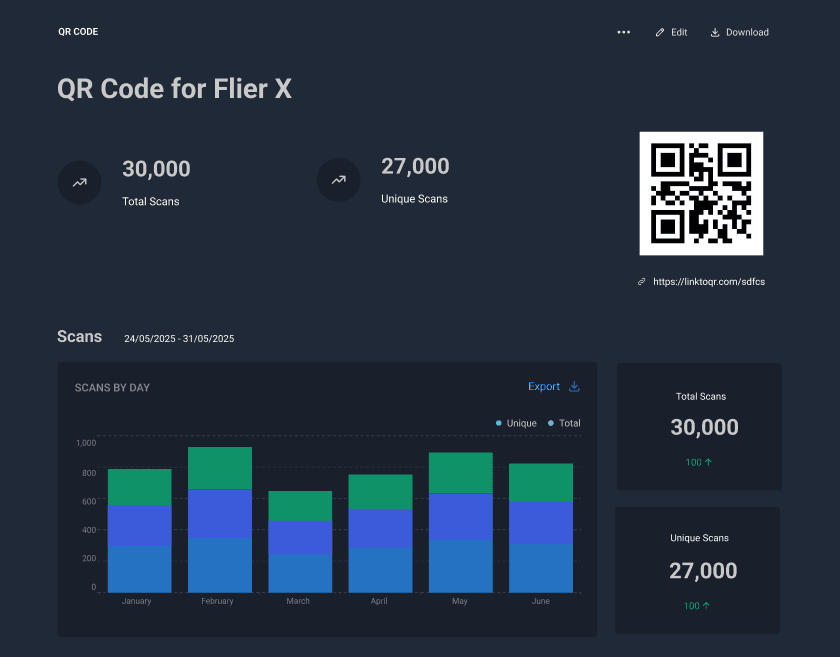
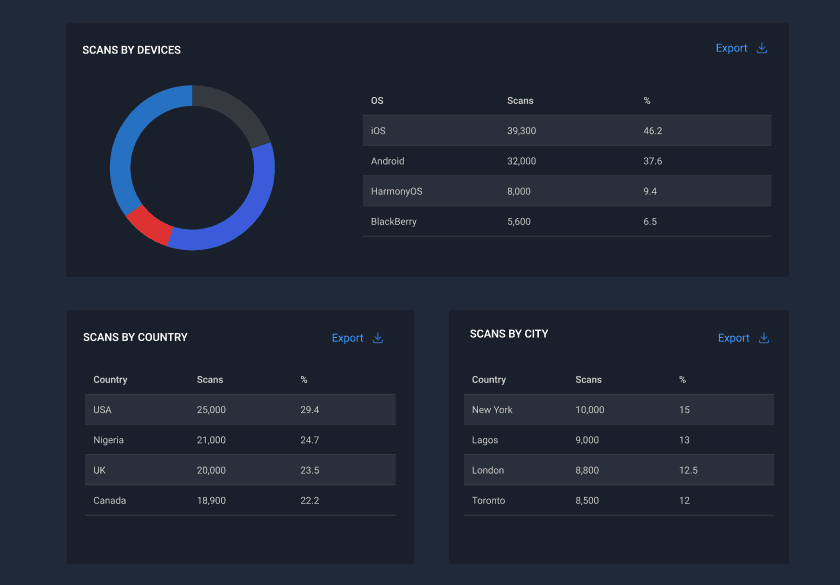
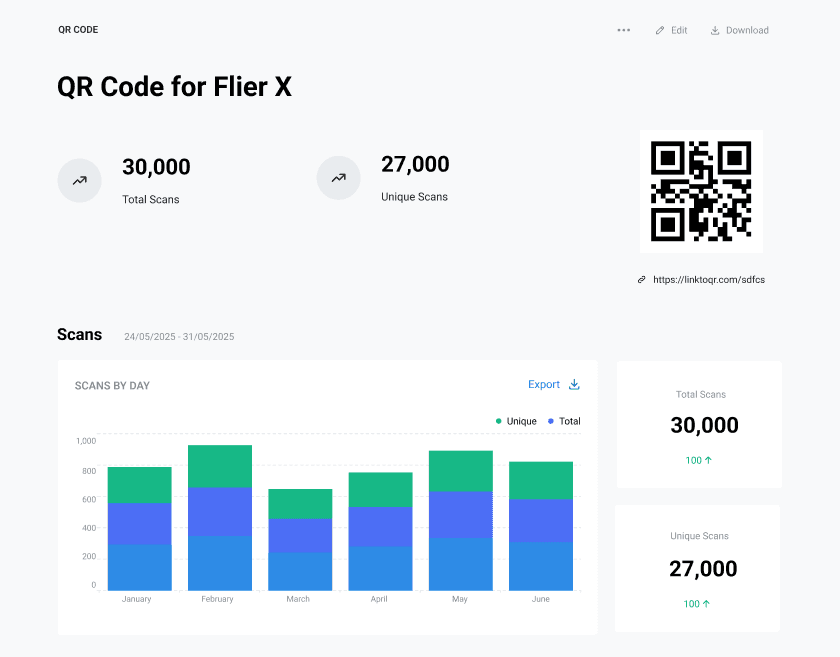
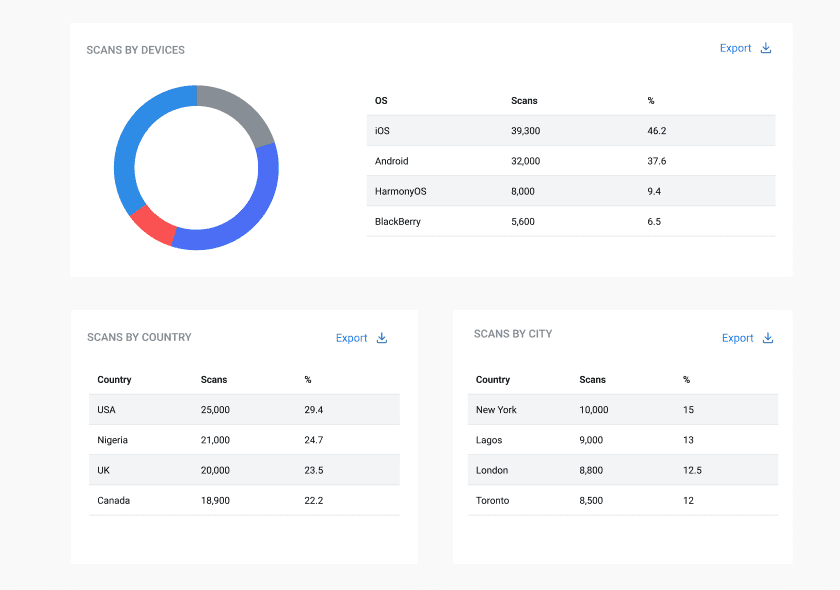
Every scan is timestamped and mapped, so the campaign reads back the way you planned it:
Several clients, several campaigns, one account—without the spreadsheets crossing over.
Keep each brand's codes, campaigns, and numbers apart, and invite the team members who work on them
Run codes on a custom domain so the URL under the scan carries the brand, not a stranger's
Rotate one code between two landing pages and let the scans settle the argument about which one works
Smart redirects route by device, OS, or country, so one printed code can serve a whole market
What our customers are saying
"It took less than 2 minutes to setup. And based on our dashboard data, we were able to optimise our banners and fliers and saw a 3X increase in customer engagements"

Choose the plan that fits your needs today, and scale as your campaigns grow
Explore Qrelux and launch your first trackable QR campaigns
Essential tools for individuals and small businesses running QR campaigns
Intelligent routing, branded experiences, and analytics for serious marketers
Separate workspaces for every client, a bigger team, and longer scan history
Set the codes up before the artwork ships, and report on the whole plan next quarter.
Track your next campaign14-day free trial · No credit card required
No, it feeds them. Point a code at a URL carrying your own UTM tags and the visit lands in your analytics as usual—while Qrelux separately counts the scan itself, including the ones that bounce before your tag fires. Our guide to tracking QR code scans walks through the UTM setup.
Yes. Keep each client in their own group, export the scan data to CSV, and drop it straight into the report or their BI tool.
No. A scan is reach and intent at the top of the funnel; what happens after belongs to your site analytics. Used together, you can finally see the whole path from a printed placement to a sale.
Only if the code came from a static generator. Codes created here are dynamic, so as long as ours is on the artwork, you can decide where it points—and change it—after the job is printed. More on the difference between static and dynamic QR codes.
Tracking scans is the easy part. Structuring your codes so the numbers answer a real question — and knowing what a scan does not prove — is where most campaigns go wrong.
5 min readGetting the scan is the hard part, and most campaigns waste it. The page a code opens is almost always designed for a desktop visitor who arrived from Google — not someone holding a flyer in the rain.
6 min readOne is free forever and can never be changed. The other costs money and can be edited and measured. Here is how to tell which your campaign actually needs — before it goes to print.
7 min read