Static vs Dynamic QR Codes: What's the Difference?
One is free forever and can never be changed. The other costs money and can be edited and measured. Here is how to tell which your campaign actually needs — before it goes to print.
8 min readPoint a QR code at a brochure, price list, catalogue or form. Upload the PDF to Google Drive or Dropbox, paste the share link here and download your code free. If the file will change, host it with Qrelux instead and swap in new versions behind the same printed code.
Upload the PDF to Google Drive or Dropbox, set sharing to “Anyone with the link”, then paste the link here.
Added under the code in the PNG and SVG, clear of the blank border phones need. Say what the scan does.
Sample code. Yours appears here as you type.
Add Link to your PDF to create your code.
Everything on this page is encoded directly into the pattern, so the code works forever and needs no account. The trade-off is that it cannot change and cannot be counted.
LAskill Printing saw 3× more customer engagement from the same banners and flyers.
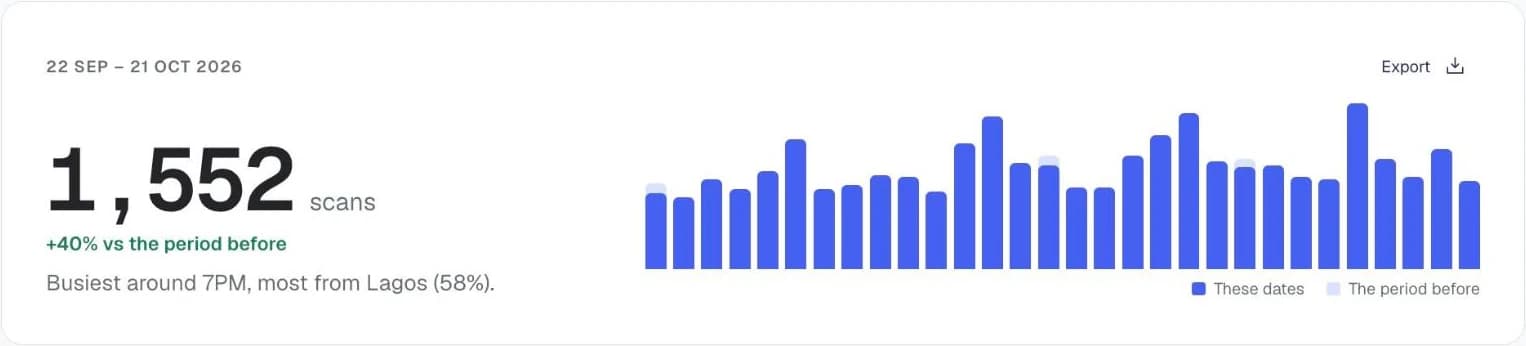
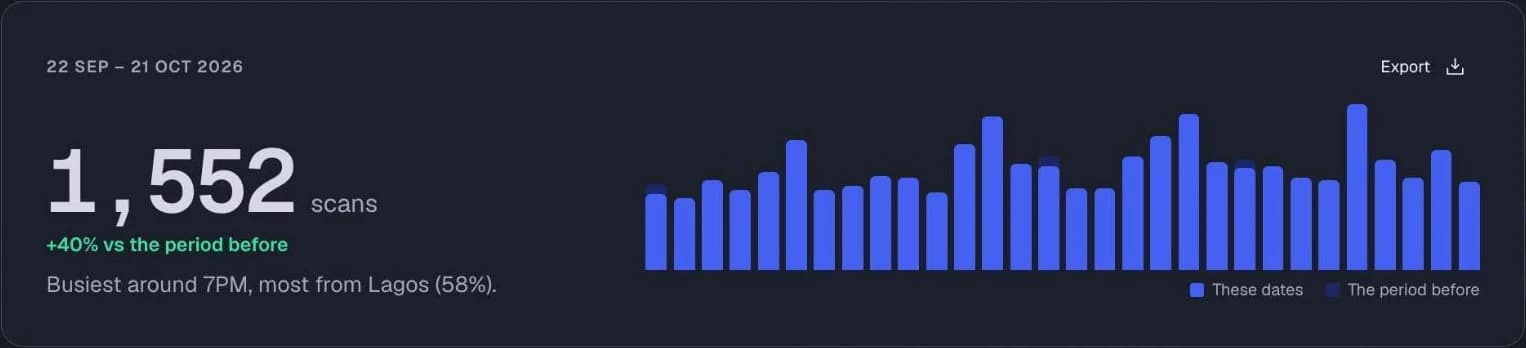
Charts from the Qrelux demo, on sample data.
Put it in Google Drive or Dropbox and set sharing to “Anyone with the link”, or people will be asked to request access.
Use the link the sharing screen gives you, not the address in your browser bar.
The code updates as you type. Scan it on a phone that isn't signed in to your account to be sure strangers can open the file.
SVG for print, PNG for screens and WhatsApp.
Hand out a small card instead of a thick brochure, and let people open the full catalogue on their phone.
Put a code on the counter or on your van so customers can check prices without asking.
Link to an application form, a product manual or a safety sheet that would be too long to print.
Using it for your business? See how Qrelux works for real estate and packaging.
Yes. Host the PDF on Google Drive or Dropbox, paste the share link here and download the code. It costs nothing and never expires, as long as the file stays shared.
No. A QR code holds at most about 3KB of data, far less than even a one-page PDF. Every PDF QR code holds a link to where the file is stored, which is why the file has to be online and shared.
On Qrelux's paid plans, yes: upload the PDF and Qrelux hosts it, gives it a code, and lets you swap in a new version later. The free generator here doesn't store files, so it needs a share link from Google Drive, Dropbox or your own website.
Open the PDF in the Google Drive app, tap Share, set access to “Anyone with the link” and copy the link. Paste it into this generator in your phone's browser and download the PNG.
It works, but a PDF menu is hard to read on a phone. The menu QR code generator is set up for menus, and a dynamic code lets you change the menu when prices change without reprinting.
Yes, on paid plans, which you can try free for 14 days. Qrelux hosts the file, lets you replace it with a new version behind the same printed code, and shows every scan.
The code itself never expires. It stops working only if the file is deleted, moved or unshared, so keep the original in place.
A code costs nothing to update and fits anywhere: on packaging, a van, a business card. People open the full document only when they want it.
Before you print: make it a code you can change and count.
Free plan, no time limit · No credit card
One is free forever and can never be changed. The other costs money and can be edited and measured. Here is how to tell which your campaign actually needs — before it goes to print.
8 min readGetting the scan is the hard part, and most campaigns waste it. The page a code opens is almost always designed for a desktop visitor who arrived from Google — not someone holding a flyer in the rain.
6 min readThe single most common reason a printed QR code does not work is that it was printed too small for the distance people stand at. Here is the arithmetic, with sizes for every common format.
9 min read