Free Location QR Code Generator
Encode a latitude and longitude so scanning opens the spot in the phone's map app. It is the reliable way to point people at somewhere a street address describes badly, like the shop "opposite the filling station, second gate".
Sample code. Yours appears here as you type.
Add Latitude and Longitude to create your code.
This code is static. Here is what that means.
Everything on this page is encoded directly into the pattern, so the code works forever and needs no account. The trade-off is that it cannot change and cannot be counted.
Static code (this tool)
- Free forever, no account needed
- Works offline, never expires
- Destination is fixed once printed
- No way to count scans
Dynamic code (Qrelux)
- Change the destination after printing
- See when, where and how often it is scanned
- Fix a typo without a reprint
- Compare which poster or flyer actually works
LAskill Printing saw 3× more customer engagement from the same banners and flyers.
What a dynamic code shows you
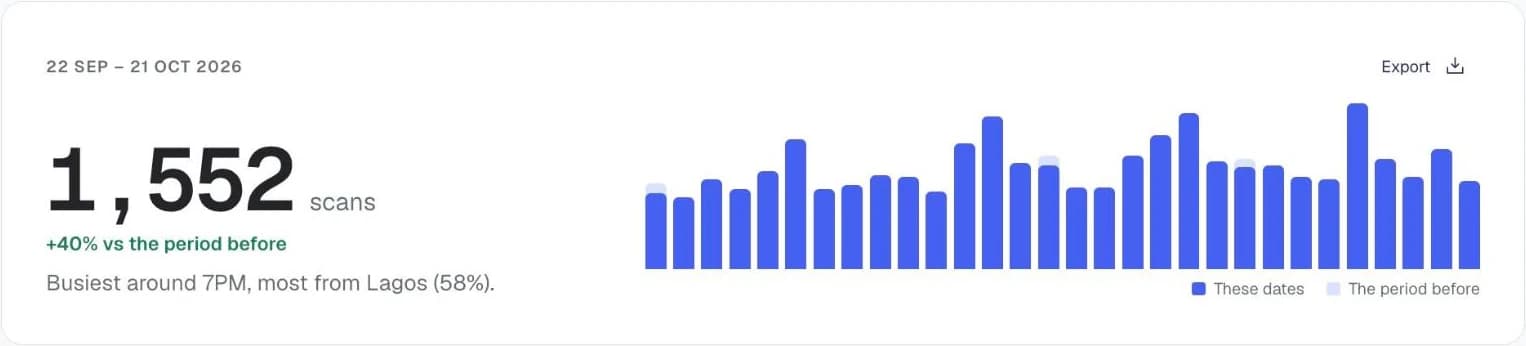
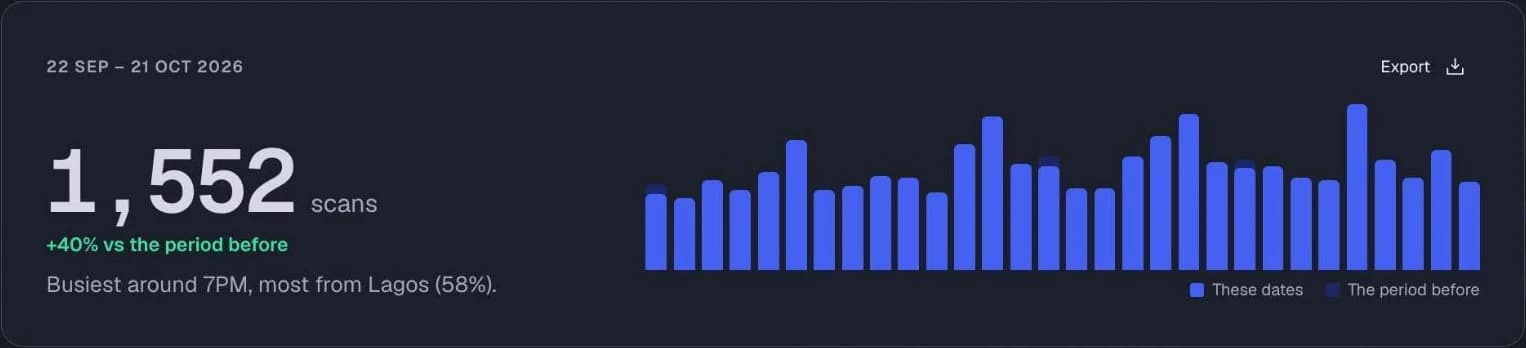
Charts from the Qrelux demo, on sample data.
How to make a location QR code
- 1
Find your coordinates
In Google Maps, right-click the exact spot and click the numbers at the top to copy them.
- 2
Enter latitude and longitude
Latitude first, then longitude, using decimal degrees like 6.4550 and 3.3841.
- 3
Scan to confirm the pin
Check the pin lands where you meant — a transposed pair puts it in the wrong hemisphere.
- 4
Download
SVG for signage, PNG for screens.
Before you print your location QR code
- Put the venue or shop name beside the code so people know where it leads.
- Print it at least 2.5cm wide on invitations and 10cm or more on roadside signs.
- Four decimal places is enough. More only makes the code denser without making it more accurate.
Location QR code not working?
- The pin lands in the sea or another country
- The numbers are probably swapped. In Nigeria both are positive: latitude is roughly 4 to 14 and longitude roughly 3 to 15.
- The pin is a little off
- Copy the coordinates by dropping a pin right on the entrance in Google Maps, not on the middle of the building.
- It shows the spot but no directions
- That's expected. The code opens the pin and the person taps Directions in their map app.
Where to use a location QR code
Event venues
Drop guests on the right entrance or car park rather than the middle of a large site.
Construction and utilities
Mark a site or access point that has no postal address at all.
Deliveries in unmapped areas
Give dispatch riders and drivers a precise pin where street names and house numbers are inconsistent.
Using it for your business? See how Qrelux works for events and real estate.
Location QR code: common questions
Which map app does it open?
The phone's default — Apple Maps on iPhone, Google Maps on most Androids. The code uses the standard geo format, which both understand.
Can I use an address instead of coordinates?
The geo format takes coordinates only. If you would rather send people to a named place, use the URL type with a Google Maps share link.
How precise is it?
Four decimal places is around 11 metres, which is enough for a building entrance. More decimals rarely help given normal phone GPS accuracy.
Can it open my business listing on Google Maps?
This code opens a pin, not your listing. To show your reviews and opening hours, copy your listing's share link in Google Maps and use the URL QR code type.
Does it need internet?
The coordinates are stored in the code, but the map app usually needs data to load the map around the pin.
Before you print: make it a code you can change and count.
Free plan, no time limit · No credit card