Free SMS QR Code Generator
Open the messaging app with your number and a pre-written text already in place. Useful for keyword campaigns and any flow where a reply needs to arrive from the customer's own number.
Added under the code in the PNG and SVG, clear of the blank border phones need. Say what the scan does.
Sample code. Yours appears here as you type.
Add Phone number to create your code.
This code is static. Here is what that means.
Everything on this page is encoded directly into the pattern, so the code works forever and needs no account. The trade-off is that it cannot change and cannot be counted.
Static code (this tool)
- Free forever, no account needed
- Works offline, never expires
- Destination is fixed once printed
- No way to count scans
Dynamic code (Qrelux)
- Change the destination after printing
- See when, where and how often it is scanned
- Fix a typo without a reprint
- Compare which poster or flyer actually works
LAskill Printing saw 3× more customer engagement from the same banners and flyers.
What a dynamic code shows you
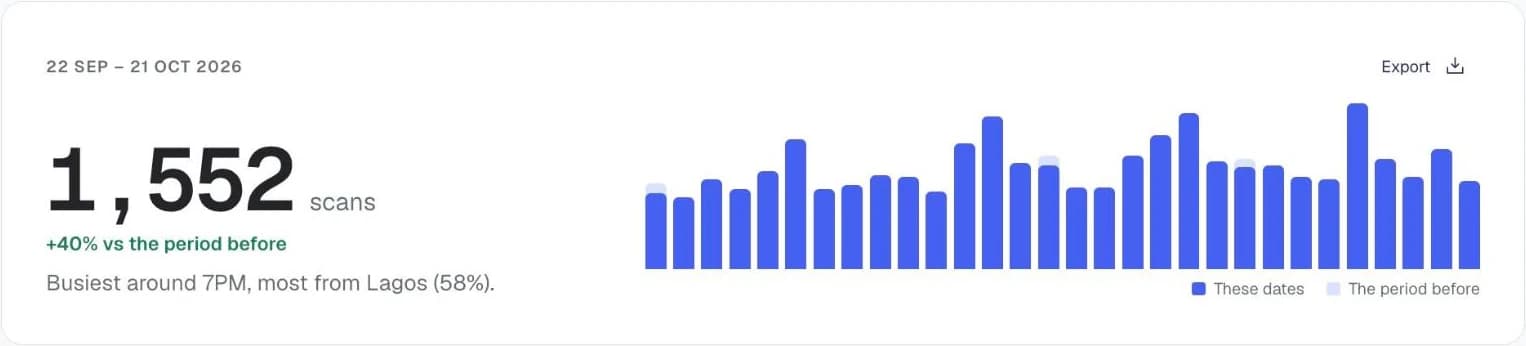
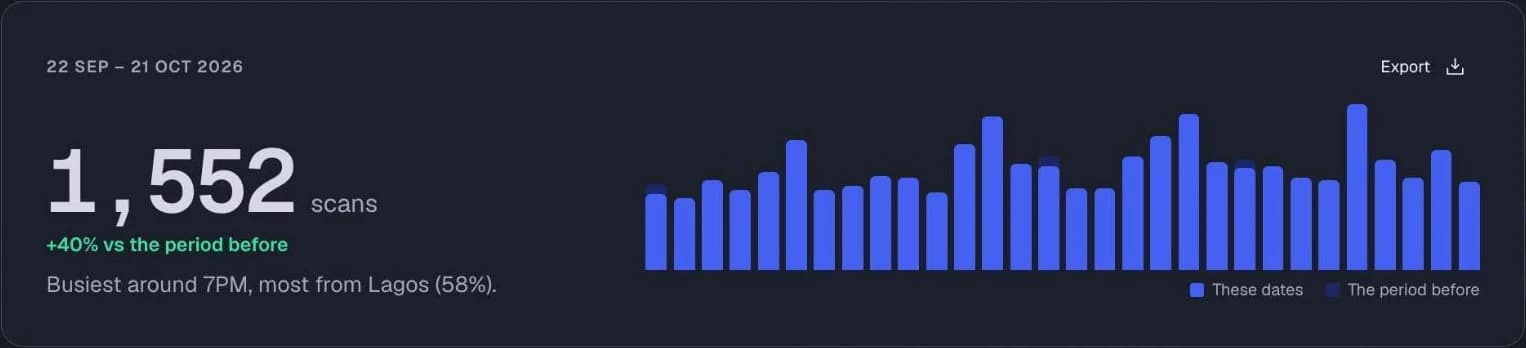
Charts from the Qrelux demo, on sample data.
How to make an SMS QR code
- 1
Enter your number in full
Include the country code, like +234, so the code works for people travelling or on foreign SIMs.
- 2
Write the message
Short keywords work best — a single word like MENU or JOIN is easy to process automatically.
- 3
Test on both platforms
iPhone and Android fill the message in slightly differently, so check both if you can.
- 4
Download and print
SVG keeps the pattern crisp at small sizes.
Before you print your SMS QR code
- Print it at least 2cm wide with a clear instruction, like “Scan and send JOIN to subscribe”.
- Use the full +234 number so it works on every network and from abroad.
- Keep the keyword to one word in capitals, which makes replies easy to count and process.
SMS QR code not working?
- Texts arrive at the wrong number
- The number was probably entered in local format or with a typo. Use the full +234 form and print a new code.
- People worry about the cost
- Senders pay their normal SMS rate. Say so on the flyer, or use a WhatsApp code, which only uses data.
- Nothing opens on some phones
- A few scanner apps don't support SMS codes. The built-in camera on recent iPhones and Androids does.
Where to use an SMS QR code
Keyword opt-ins
Let people join a list by scanning and sending, with no form to fill in.
Service requests
Put a code on equipment so a technician texts the right desk with the asset reference already written.
Voting and entries
Collect entries for a radio promo or a raffle from people's own numbers, with no app to install.
Using it for your business? See how Qrelux works for marketing teams.
SMS QR code: common questions
Does the message send by itself?
No. Phones deliberately require the person to press send — a code that could send a text on its own would be a security problem.
Do I pay for the messages?
The person sending pays their normal rate. If you are receiving to a shortcode or a business number, check what your provider charges for inbound.
Why does my message not appear on some phones?
A few older Android scanners only read the number and drop the body text. The number always comes through; treat the pre-written message as a convenience rather than something to depend on.
SMS or WhatsApp: which should I use?
WhatsApp is free on data and it's where most customers already chat. SMS still reaches people on basic phones or without data, which matters for rural campaigns and keyword promotions.
Can I use a short code?
Yes, enter the short code instead of a phone number. Check with your provider what people are charged to text it.
Before you print: make it a code you can change and count.
Free plan, no time limit · No credit card